Animation Relaxation
[Animation At Ulster University Second Year Blog]
By Matthew Kane
Portfolio: https://www.artstation.com/matthewkane
Showreel: https://vimeo.com/matthewkane


Motion graphics project - 30 second motion graphics advert - 15% Bob
Motion graphics project - 15-30 second motion graphics advert / Ident - Friday 10th May 15%
Individual project - Pre-production presentation Friday week 4, final presentation Friday week 12
Knowledge of After effects motion graphics is a vital tool in the local animation scene. In response to this and to compliment your 3D animation work you are to design and create individual 15-30 second motion graphics advert or ident of your choice.
Think creatively and reference other motion graphic artists to build your knowledge of the medium. Perhaps consider combining 3D and 2D motion graphics or other animation mediums.
This assignment will run alongside the main studio guided assignment and your personal development project. Formative feedback sessions will take place over the semester.
Include research into motion graphics and its creative uses. Your own reflection and application of feedback.
Week 4 Presentation - Pre-production - Idea, style, contextual research, a simple animatic / storyboard
Week 12 Presentation - Animation progress on your motion graphics projects - formative feedback from Bob to be taken onto final submitted versions
Hand-in:
Individuals will submit a final outcome, submission will take our usual form of:
-
Portfolio
This project should have it's own portfolio section on your personal blog. Portfolio should include final designs, animations etc. created by you during the project and annotated / credited clearly.
-
Blog
Your blog should capture your research, development, application of theory and importantly your reflection as you go through the process of developing your motion graphics project. The project should have it's own section and be organised in a thoughtful way.
-
Software files
Please include a Onedrive / Google Drive / dropbox link to your project folder software files and final scenes.
Task 30-60 seconds motion graphics animation for an advertisement or Ident.
1st Class Friday 1/2/19 :
Research:
What is motion Graphics:
Motion graphics is animation, but with text as a major component. Essentially, it’s animated graphic design.
Ever since motion graphics first entered the scene, there’s been a debate about the line between them and full animation. The opening credits of Hitchcock’s Psycho is an early example of motion graphics, where the marriage of sound, motion, and graphic design come together exceptionally well.
Motion graphics are a way to communicate with the viewer, and add depth to the story. Together with music and effective copy, they can give us a message. We use them to create ads, title sequences for movies, [explainer](Put simply, motion graphics are animation, with text as a major component.) videos and to share information. Many of our templates use motion graphics to help you communicate your message.
Originate form Alfred Hitchcocks Psycho:
All of this sourced from : https://biteable.com/blog/inspiration/what-is-motion-graphics/
Styles and aesthetics:
-
2D CHARACTER ANIMATION
-
2D MOTION GRAPHICS ANIMATION
-
2.5D ANIMATION
-
WHITEBOARD ANIMATION VIDEOS
-
3D ANIMATION
-
LIVE ACTION
-
LIVE ACTION WITH TRACK ELEMENTS
-
STOP MOTION
-
TYPOGRAPHY
-
SCREENCAST
Popular Examples:
Casino Royal:
Westworld:
Catch me if you can:
http://www.artofthetitle.com/title/catch-me-if-you-can/
Limitless:
Game of Thrones:
Mad Men:
Channel 4 motion graphics Ad's:
Simpsons themed:
BBC Idents:
Principles of animation:
The principles of animation can be broken to down to 3 areas, Timing,Direction and emotion.
It focuses on motion, typography, layout , motion and fluidity of movement brings things to objects to life that are not human giving them characteristics will playing about with expectation and subverting your attention. Motion Graphics is a way of framing something you are trying to say be it imagery or typography or a mixture of the two.
Look at Threads and graphics in the Tweens. Can entail the use of lense flares, glow, vectors, tracking, 2d and 3d , matte painting, comic book style , cutout , stop motion or flash.
Showreel and networking and communication in motion graphics is the most valuable thing and it will ensure you don't miss out if you are good at them or continually try to work on them and refine them. Especially if you are going to be a freelance artist as you don't want to miss out on keeping , maintaining and acquiring new clients.
Class tutorial animating the 12 principles of Animation with After Effects:
Learning the basics of After Effects and shortcuts:
Instructions animating a square falling with gravity and direction with squash and stretch with a bounce:
Begin my creating a new composition, make the frame rate set to 25 for Tv not 24 for film and for Tv the US use 30 frames a second. Set dimensions and resolution to 1920 x 1080 HD.
Shortcuts:
Page up and Page down = go up and down a single frame on the time slider.
Shift + Page up and Page down = go up and down a 10 frames on the time slider.
For getting gravity to be realistic and to produce accurate representation use scientific theory and draw in lines and points to see where they converge and plan out your animation using the correct sense of gravity convey the falling speed and the theory behind this so starting from a static objecting and then gaining momentum then the collision and converting the energy into a bounce.
To move the anchor point press y and move the anchor point to the centre of the object.
Press v to return to main cursor.
Layer shortcut:
Click P to load position track/ trace
Press T to bring up rotation
Press S is to scale
Same 3d transform button shortcuts for most 3d software.
Click the stop watch to set a key frame.
Press space bar to play animation / time slider.
To get in and out points in an animation press B and M.
Select Key frames and press F9 to smooth more or less making it more accurate , hit the button to go to curve or graph editor to edit it further.
Instructions:
Get the centre of gravity to the centre of the object.
Set up a loop for the animation.
Have the square fall bounce then roll stop.
Squash and stretch was for motion blur before there was motion blur.
Examples :
Batman lego movie:
https://www.fxguide.com/featured/brick-by-brick-how-animal-logic-crafted-the-lego-movie/
My work on the 12 principles of animation in after effects:
1. Squash and stretch:
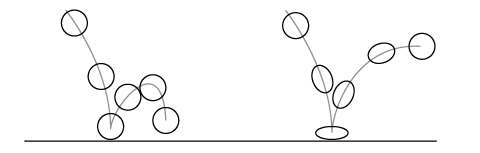
Cube will go from static to have both forces of gravity and direction of momentum applying to it so it would move while falling and would then bounce when it comes in contact with a surface causing it to stretch in the process of falling ity would stretch. Squash and stretch convey the consistency of an object due to the reaction it creates when hitting a surface a ball or pliable object will deform its shape using squash and stretch. A bowling ball on the other hand will have little to no squash and stretch as its shape will not change even when hitting the surface and bouncing.
Here is an example:
My Attempt:
Instructions / Homework : Create the remaining principles of animation using after effects-
2.Anticipation
I looked at the Pendulum :
My Attempt:
3. Staging
4. Straight Ahead/Pose to Pose
5. Follow Through & Overlapping Action
6. Slow In & Slow Out
7. Arcs
8. Secondary Action
9. Timing
10. Exaggeration
11. Solid Drawing
12. Appeal
My initial Idea: Car Ad
Project Research:
Camera shots to use motion graphics to use , filters, lighting , lenses flare , what i want to convey and focus on
Last shot logo comes down with car and fire or flames in background light reflects of the paint work of the car.
Forza cinematic videos:
Car Ads etc.
Toon shader and mash effects ad then bring it to realistic standard montage split scene into 3 parts:
Motion graphic car logo example i looked at:
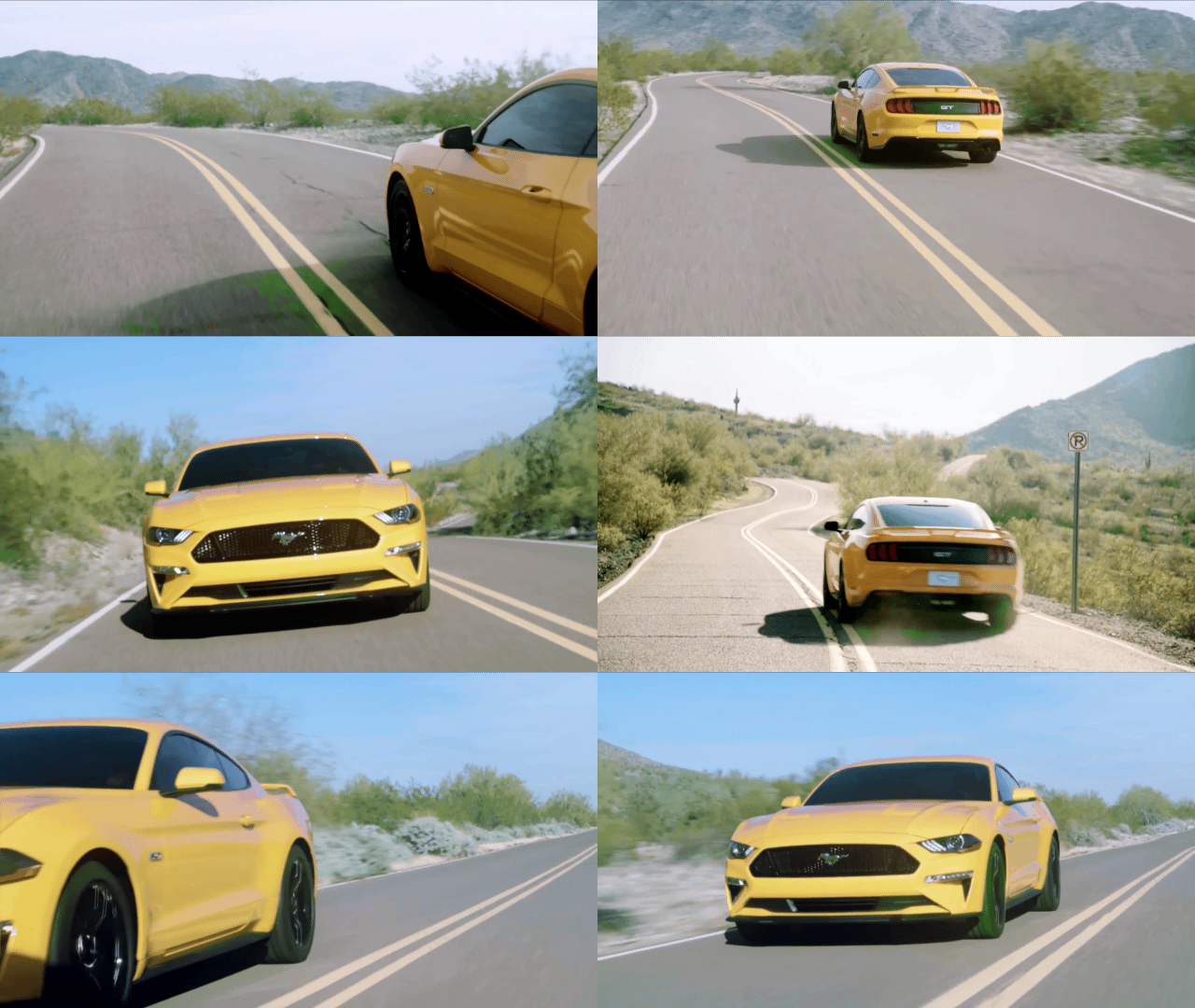
Camera shots for a car ad i complied together to create a GIF:
idea change :
Motion Graphics Scripts and Storyboards 14/02/19
New idea :
Script:
22/02/19 After effects Friday
2d camera: Create the appearance of a camera by:
Parenting objects and moving the parent in ways to suggest a camera or go to a null object and get it as a parent.
EG. A null object does not render
Scene camera
Layer – new- Camera
One node – Manually move camera
Second node- camera follows an object
50 mm is a normal camera length.
Click the cube icon to change 2d shapes into 3d objects.
Left click to orbit
Scroll to dolly
Right click dolly in and out
Be careful with 2d and 3d layers as they can overlap
If you have a 2d layer that is in between 3d layers it creates a 2d and 3d shapes.
Puppet tools: puppet pins can be used to bond a shape together like bones to a body using the pin tool
Dulle ( after effects add on) it can be convert puppet pins, can create a parent hierarchy to create IK and FK chains.
Rough edges can be used and animated to create different effects
Time(number)to automatically animate
Postnise time can affect time scale.
Concept Art:
Landscape
Storyboard animatic: